
Healthcare Customisable Reports
We’re excited to introduce a brand-new feature in myfood24 healthcare: Customisable Reports!
Healthcare professionals can now tailor reports to match you and your clients’ needs, making it easier than ever to review, analyse, and share effective nutritional insights
What’s new?
- Choose your metrics – Select the graphs you want to be in the report.
- Flexible layouts – Add/remove graphs and set the date range you want to show.
- Choose Chart Type – Select between different formats for bar and pie charts.
- Custom Branding – Apply your organisation’s name and logo.
- Export your way – Download your custom reports as a PDF or report sections as PNG.
What this means
Customisable Reports help healthcare professionals effectively provide a detailed understanding of nutrient breakdown unique to their clients. Efficiently produce a custom report for each patient, reducing manual editing, and improving visual display of key nutrient information.
How to get started
(1) Head to the Reports tab in the patient view.
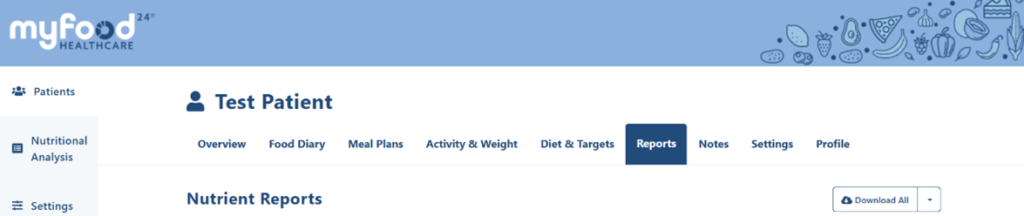
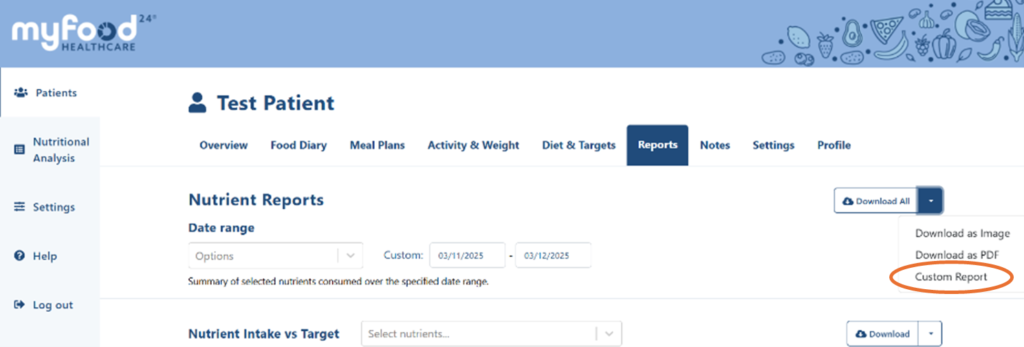
(2) Click on the down arrow next to the download all button and select custom report.
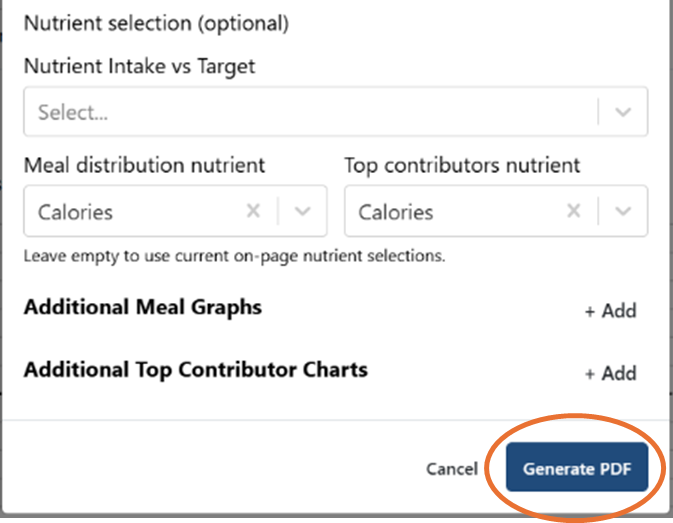
(3) In the pop up you will be able to select from a range of report options including sections to include: Header information, Logo, Chart types and nutrients to display.
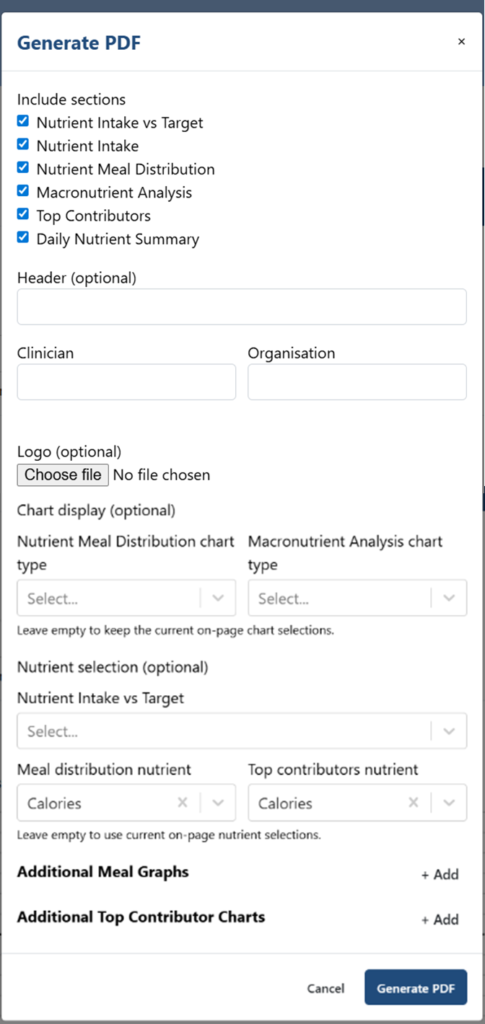
(4) Click on the Generate PDF button and your PDF will download and be ready for you to view.
See an example of a custom report here
If you need support getting started, our team is happy to help. Please contact us via support@myfood24.org